A cleaning for every checkout. Given to the cleaner you chose.
A cleaning rule makes a cleaning for every checkout and gives it to the cleaner you chose, for every home or home by home. Each cleaner gets their own phone screen for the day.
Start free
14 days free. No card required.
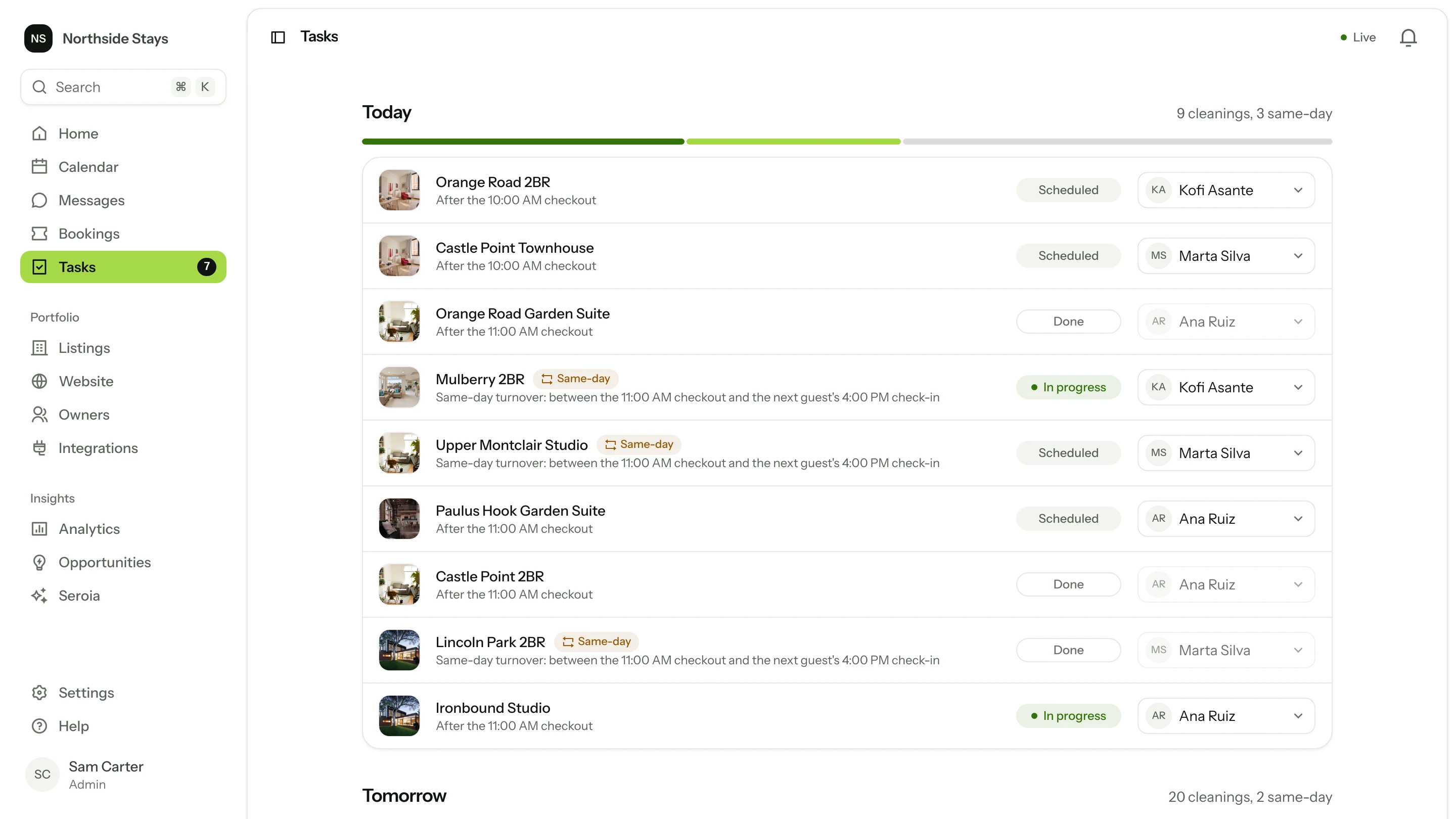
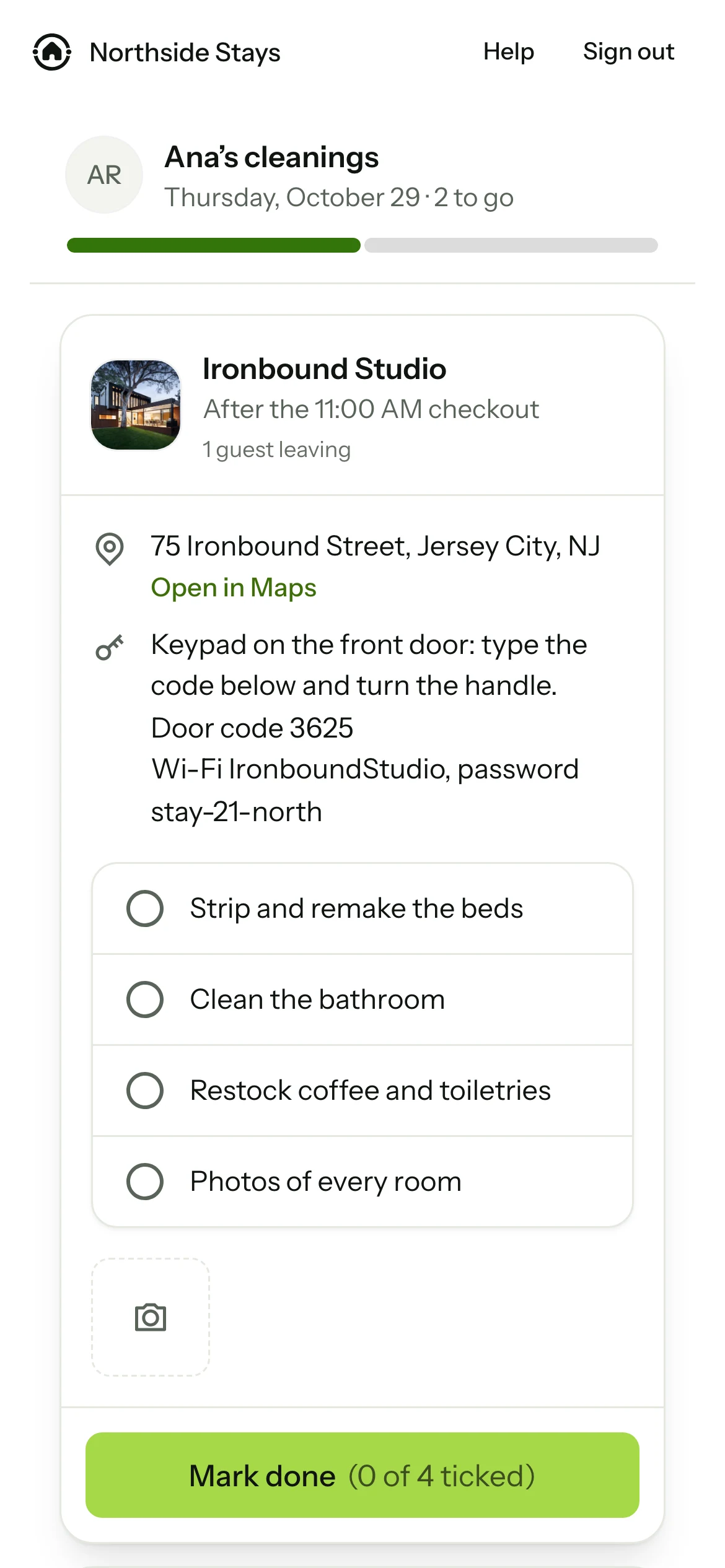
Checkout at 11. The cleaner already has it on their phone.
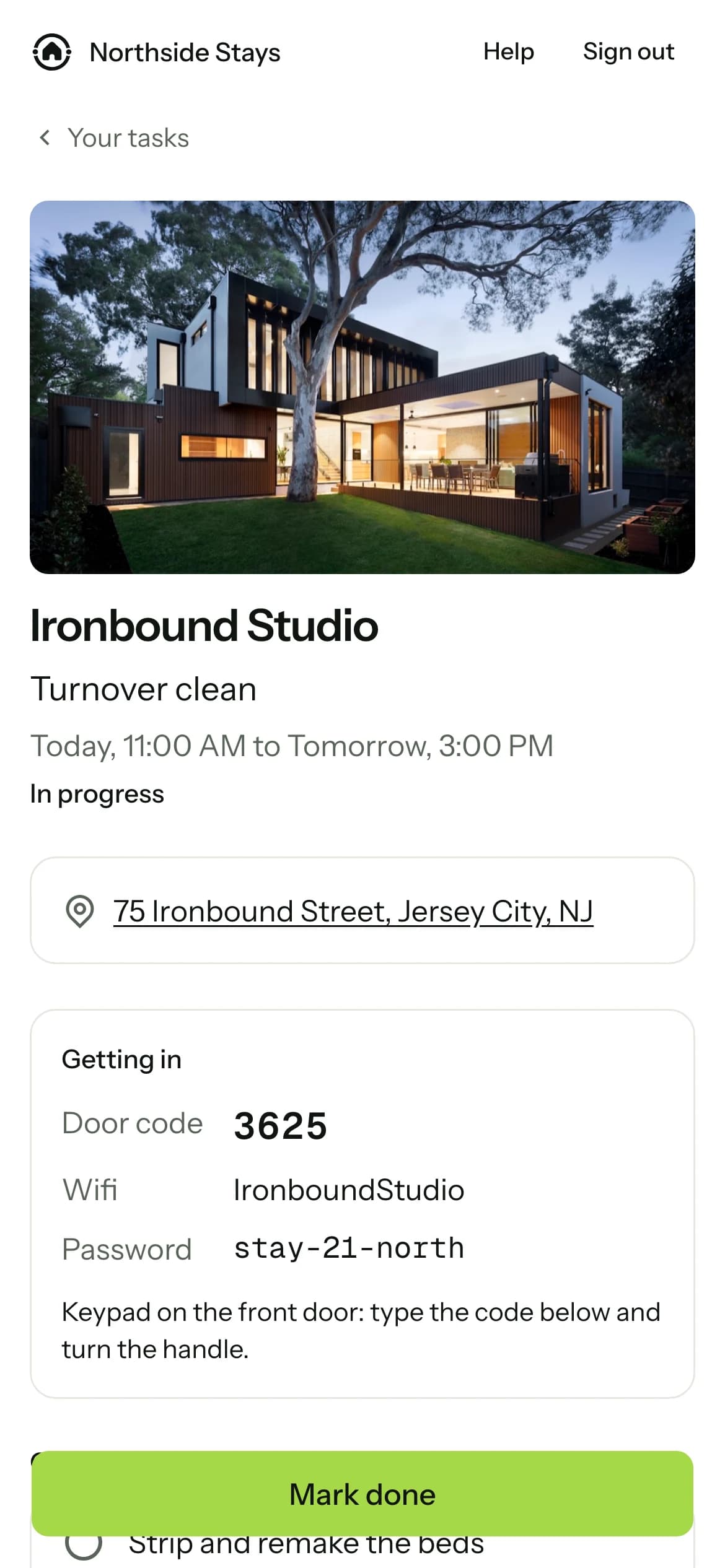
Each cleaner signs in to their own screen for the day: their cleanings in order, and each one ticked off as it’s done.
- One rule for every home, or a cleaner of its own for a home that needs one.
- Same-day turnovers are marked on the day’s list.
- Your team sees the day on Tasks: who has which cleaning, and how far each has got.
Asked about this. Answered.
Every question about HostomatWhat do cleaners see?
Their own phone screen for the day, with the cleanings given to them.
Can I give someone a read-only login?
Yes. The team has admins, managers, cleaners, owners and read-only people, each seeing only what their role allows.
Invite your cleaners. From Settings.
They get a link, sign in on their phone, and see their cleanings from the next checkout.
14 days free. No card required.
- 1Sign up with your email. No card.
- 2Connect Airbnb, or send an owner the link to connect theirs.
- 3Watch your homes come in, one by one.